
PRODUCT DESIGN
TESLA AR CONFIGURATOR
A native iOS/Android AR app for anchoring true-to-scale Tesla models to preview colors, scale, and garage fit.
Solo Designer & Builder
ROLE
ARKit/ARCore, Unity, Cursor AI
TOOLS
iOS & Android
PLATFORM
STATUS
Live walkthrough — placement, color swap, move, rotate, on loop, filmed in downtown Toronto.
Why this exists
Amazon lets people drop a couch into their living room in AR before buying it. Cars are one of the biggest purchases most people make, don't have an equivalent.
A few automakers have tried, but they’re geo-restricted, buried behind a website step first, or hard to even find inside the app itself. Tesla’s own configurator gives a 2D render that spins on a screen, but it never answers what actually matters: how the car actually looks, its shape, its curves, its color, standing in a real driveway or garage, at true scale, in real light, close enough to replace an actual trip to the dealership.
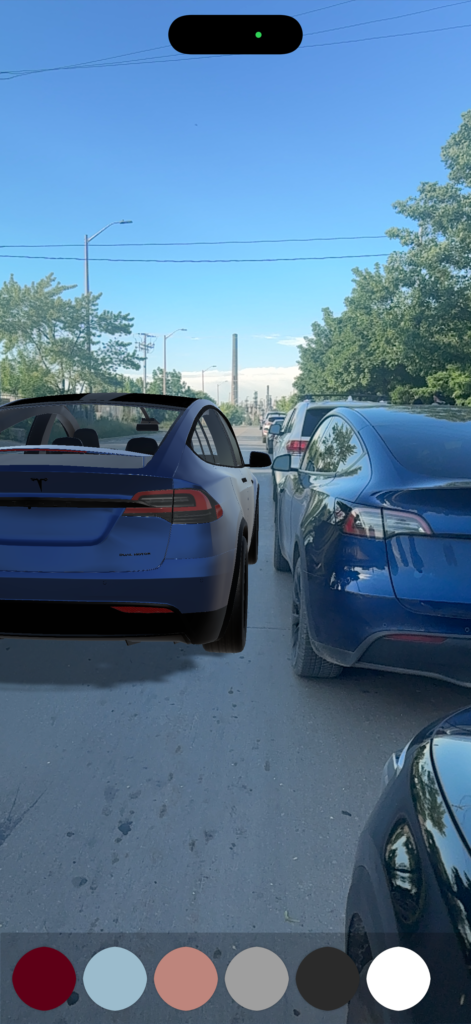
Mid-build, not the final version, the color swatches and UI here are from an earlier pass. Parked on a real street next to an actual Tesla, close enough in color and scale to blur the line at a glance.
Why this matters
94%
AVG. CONVERSION LIFT WITH AR
(SHOPIFY)
4
MAJOR AUTOMAKERS BUILT SIMILAR AR TOOLS
0
BUILT FOR TESLA
Cars are one of the last major purchases where online research and buying still happen in two disconnected places, a gap Cox Automotive’s own Car Buyer Journey Study shows growing every year. Real companies have already bet real budget on closing it: Porsche, AutoTrader, Toyota, and Lexus have all shipped AR placement tools of their own. None of them are easily accessible for consumers and none of them are for Tesla.
Why Tesla
Tesla sells direct, no franchised dealer network standing between a buyer and the purchase, which makes that online research phase even more central to the decision than it already is for most other brands.
A lineup simple enough to build solo, too: three models made the cut, Model 3, Model X, Cybertruck, with doors, hoods, trunks, and trim off the table from day one since the source models weren’t rigged for it. What was left, and all the app needed to actually be: spawn a car at true scale, change its color.
Why it had to be a native app
The original plan wasn’t a native app. It was a QR code that opened a small, movable car right in the browser, no install needed. Testing it exposed a wall: the browser version couldn’t hold the car in place reliably, and Apple’s own AR viewer held steady but couldn’t run any custom interface at all, no paint icon, no model switcher, nothing that responded to code. Neither could deliver a car that stayed put and repainted on command, so the browser plan was dropped for a native app instead.
TECHNICAL NOTE
Needle Engine’s iOS AR ran on browser-based tracking rather than ARKit’s own world tracking, which caused the drift. Apple’s AR Quick Look anchored properly since it uses ARKit directly, but it’s a fixed, non-scriptable viewer baked into Safari, no way to inject app logic.
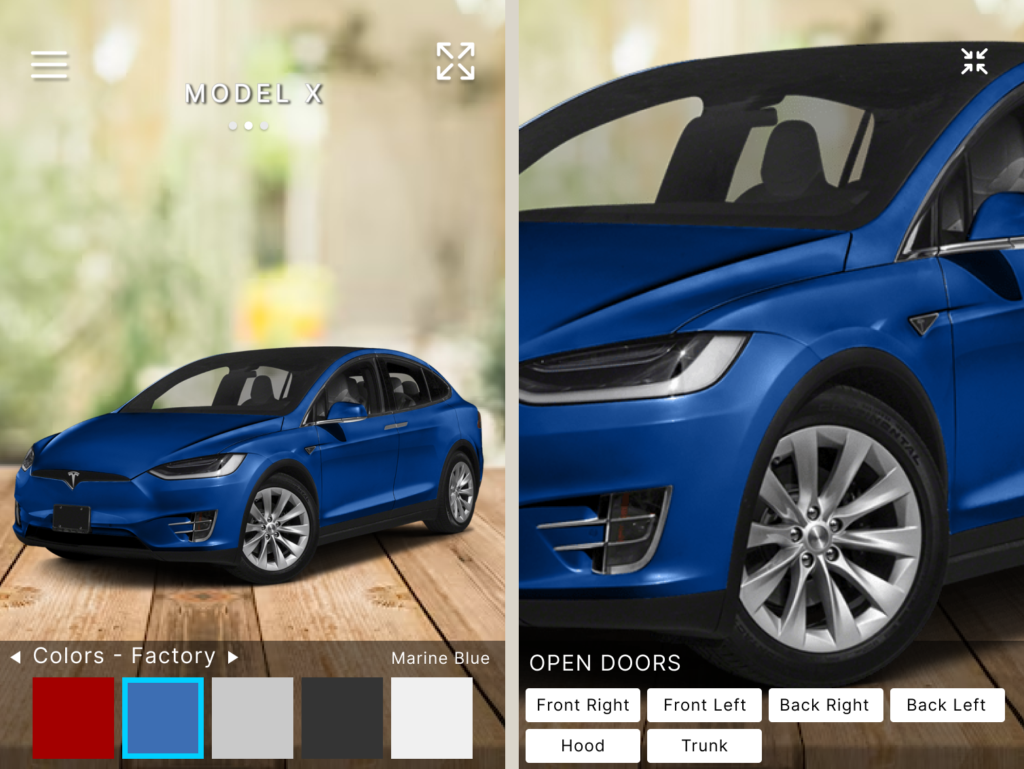
Early wireframe. The original concept: a mini desk-scale car as the default view, with a maximizable real-size option.
What was scoped as roughly a week of work turned into about a month of build time plus a week of polish, built native from Unity’s ARKit template, coded with Cursor, almost entirely a consequence of that pivot.
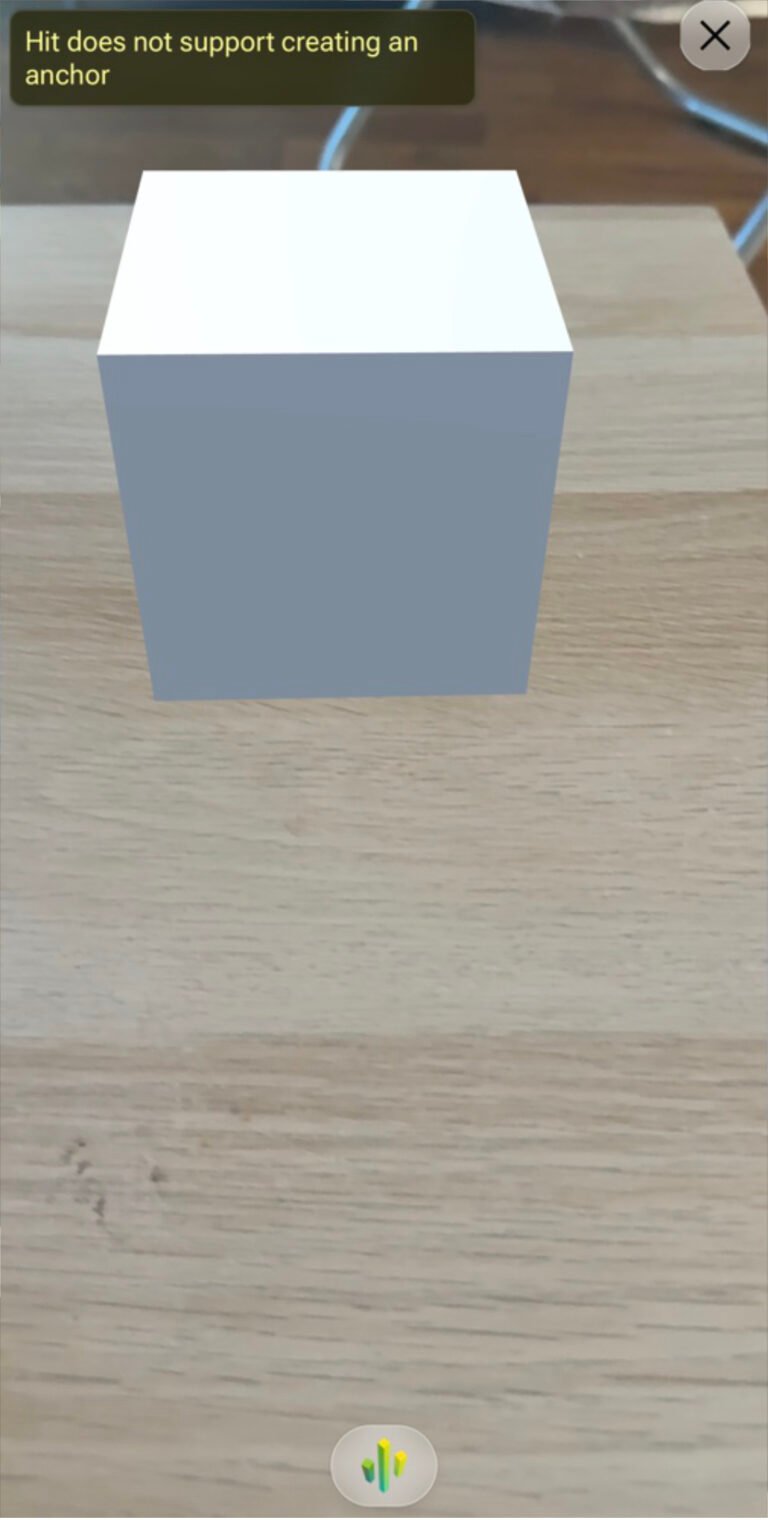
Needle’s own web AR, tested in Safari with a placeholder cube before the car model was imported. It floats rather than anchoring, and Safari’s own error confirms it: “Hit does not support creating an anchor.”
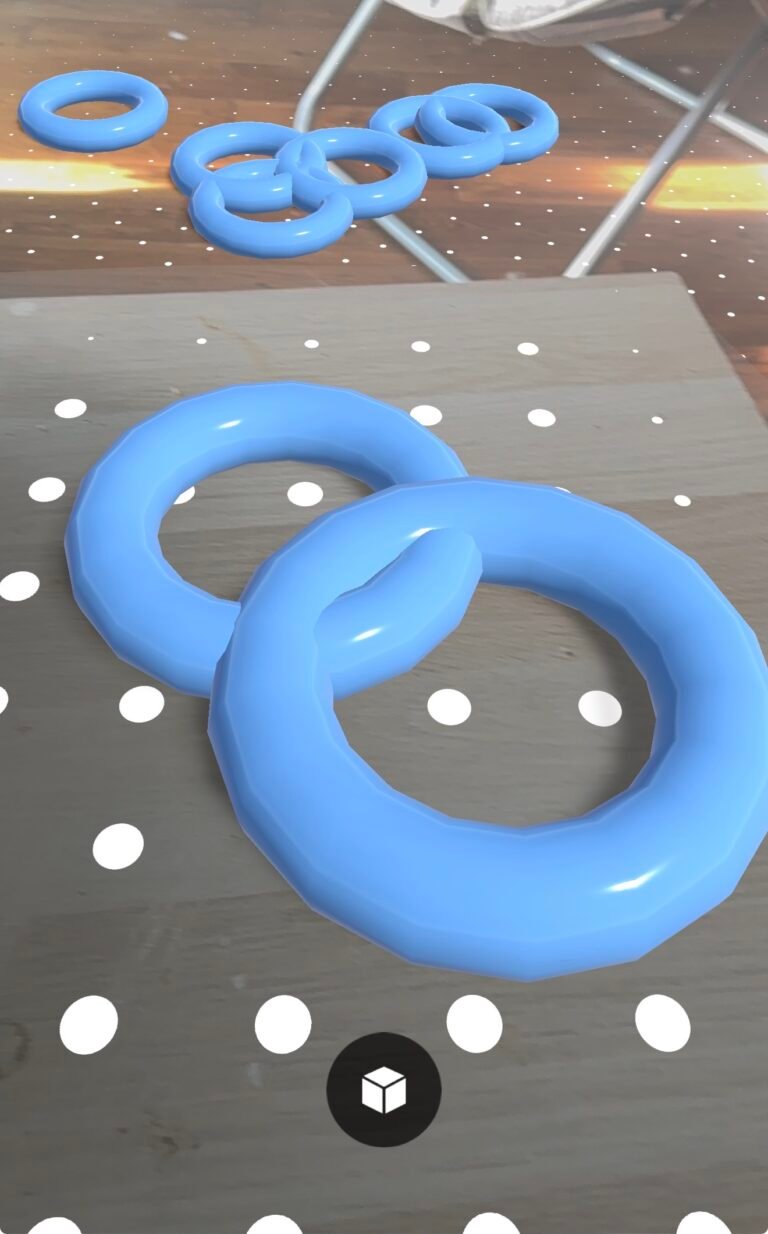
Anchor test via Apple’s AR Quick Look. Anchoring holds, but Quick Look exits Safari into an isolated static viewer, stripping out every runtime script, button, and piece of interactive logic along with it.
Scope
In Scope
Life-size AR placement
3-model swipe
Factory color picker
Move, rotate, reset anchor
Walking into the car
Deliberately Excluded
Mini/desk-scale mode
Custom wrap colors
Trim and tire customization
Door animation
Accounts & Onboarding
Surface scan and tap-to-place get a quick onboarding prompt, since placing the first car is the one genuinely new step. Swipe to swap, drag to move, and two-finger rotate don’t, those are standard touchscreen conventions, not something specific to this AR experience that needs teaching.
Key Decisions
Cut the mini mode
A full-size car needs real space, a couch or a bed doesn’t have one. The first version defaulted to a small desk-scale car instead, scaled up on request. But customizing a mini car solved a problem nobody needed solved, comparing trims and colors from bed is already something a dealership website does. It read closer to a video game customization screen than a serious way to look at a real car. Cut entirely once that was clear: real, true-to-life scale is the one size someone actually opens this app to see.
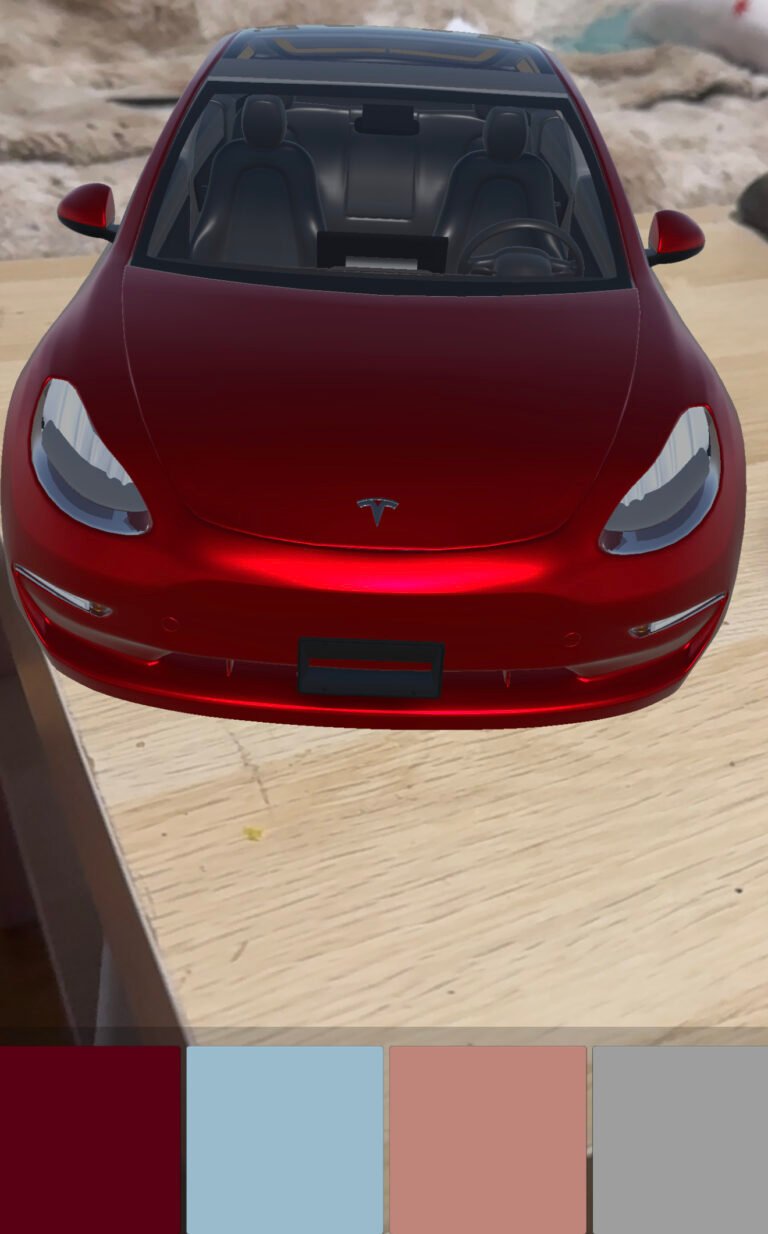
The mini mode, placed on a desk or table, with the same color customization as the full-size version.
Factory colors only
Wrap colors were on the table early. Mixing them with official paint options risked confusing what’s actually available from Tesla versus aftermarket. Kept it to factory colors only. Model 3 and Model X share the same color set; Cybertruck ships in one color, steel, matching the real car.
80%
of new cars sold globally are white, black or grey, Tesla doesn’t publish exact numbers, but the pattern holds on the street.
White, black, and gray lead the swatch order for that reason, and because those same neutral tones have historically been Tesla’s free colors, while red and blue cost extra, people default toward what’s already selected. Silver sits at the end instead, it isn’t a free everyday neutral on Tesla the way it is elsewhere, it’s a rarer, more premium pick, which tracks with how uncommon it actually is on the road.
Circular swatches over boxes
The boxed color picker didn’t fit every option on screen and read like the wrong kind of app. Circular swatches, closer to how dealership sites present color, replaced it with the color name labeled on screen the way a showroom display would show it.
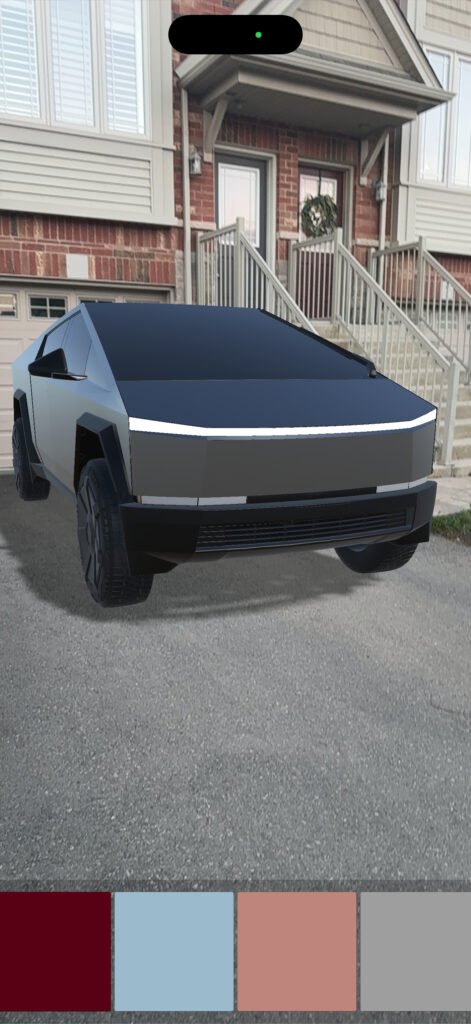
Early color picker. Boxed swatches, read more like an interior design tool.
Stencil outline on move
Moving or rotating the car needed to read as intentional, not glitchy. A cyan outline highlights the car while it’s being repositioned.
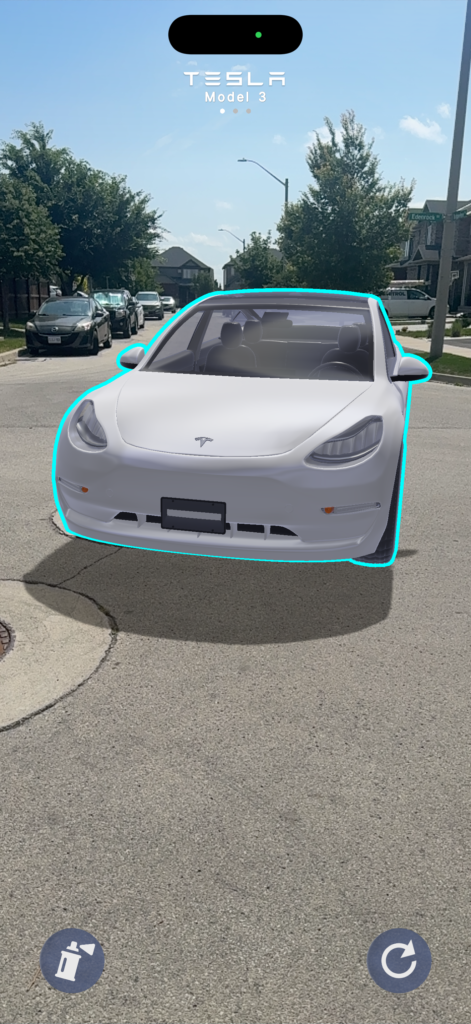
The cyan outline active while the Model 3 is mid-reposition.
Walk through, not around
Seeing the interior was part of the plan from the start. Opening doors was meant to be the mechanism, not the goal. The unrigged models ruled that out early. Rather than restrict the camera and keep people at arm’s length, the car was left walkable instead: stand where the driver’s seat would be and look straight into the cabin, doors staying shut.
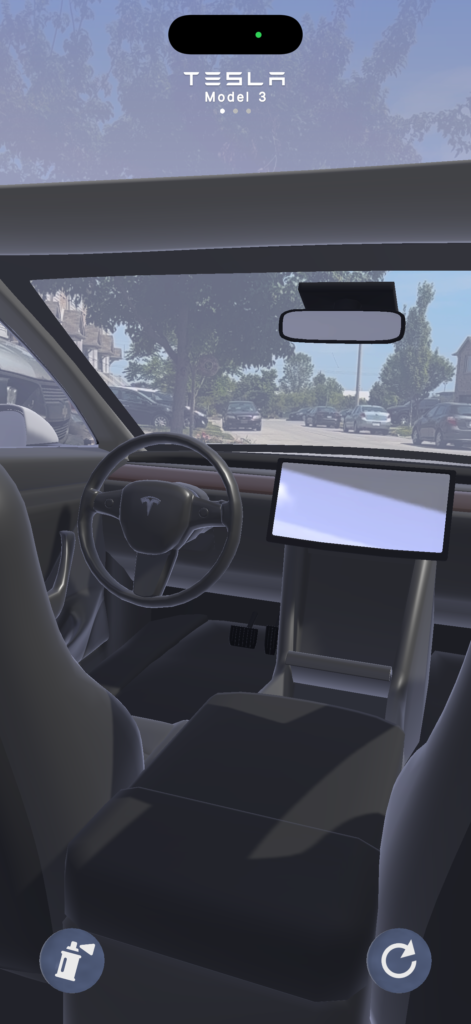
Standing where the driver’s seat would be, steering wheel and dashboard filling the view.
Surface scanning, a known friction point
Testing the app surfaced something the current version doesn’t solve for. People unfamiliar with AR tended to hold the phone still or point it straight down, rather than sweeping it across the floor. Sitting in the same room, a quick verbal nudge, angle it forward, move it slowly, fixed it in seconds. Testers reached remotely, with no way to walk them through it, had a harder time, and some gave up before the placement marker ever appeared.
The app already has a “scan surface” prompt with a motion graphic, but it’s not landing, people skip past it or don’t connect it to the motion needed. It sits at the bottom of the screen on purpose, centering it would turn one small moment into something that feels like a splash screen. That restraint has a real cost: it’s easy to miss entirely.
A directional cue could solve that without giving up the restraint, but it can’t be a true AR waypoint, that needs a floor to anchor to, the exact thing that hasn’t been found yet.
TECHNICAL NOTE
A more likely fix uses signals that don’t depend on AR succeeding at all: the phone’s tilt sensor already knows whether it’s held near eye level or angled down, and ARKit surfaces scattered feature points well before it commits to a full plane, enough to trigger a screen-space arrow. A fix to be tested in the next iteration.
Not a solo problem either, Porsche’s own team, building with Svarmony, added a motion-graphic prompt to solve the identical friction. Getting someone to scan a surface correctly on the first try is still unsolved industry-wide.
Known limitations
Environment reflections
A car’s paint is defined by what it reflects. Getting that right in real-time AR turned out to be a limit nobody in this category has actually solved, left here as an honest tradeoff rather than shipped half-working.
TECHNICAL NOTE
ARKit builds reflections by stitching a cube map from camera footage as the phone moves. Point it at a car for a few seconds from one angle and most of that map is still empty, so the reflection reads as pixelated and shifts every time the camera moves. A true frosted-glass background for the color panel has the same cost, blurring the live feed every frame is too GPU-expensive in real time, so it’s faked with a semi-transparent layer instead.
Not a solo gap either, testing Porsche’s and AutoTrader’s own AR tools, they avoided adding the reflections too, likely for the same reasons.
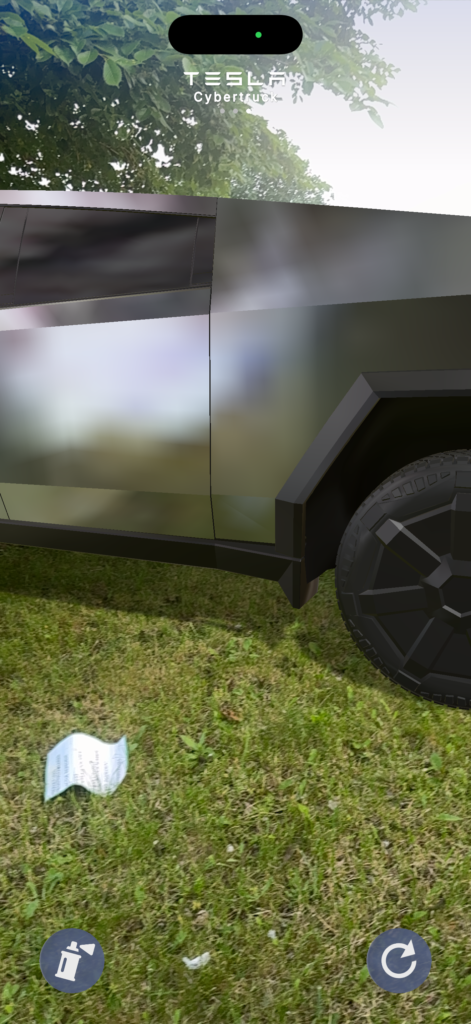
The Cybertruck’s side panel, mid-attempt, showing the pixelated, stitched-together reflection.
First Reactions
Early reactions leaned more surprised than analytical: that it looked this convincing, that it was built solo, and suggestions to pitch it to dealerships.
Reflections
Every cut in this build answers the same question: does this help a user actually see the car, anywhere, before setting foot in a dealership, or did it just sound good on paper. The mini mode, the wrap colors, the boxed color picker, all looked useful until they didn’t survive contact with that test. That same test is what separates it from Porsche’s and AutoTrader’s own tools: true scale instead of a shrunken preview, and movement that visibly responds instead of drifting past unnoticed, something neither of them shows. Porsche gets closest on live color changes, but still starts with a website configurator before AR even opens.
Expected Business Impact
Fewer wasted visits
Showroom visits that end in disappointment drop, since “does this look right” gets resolved before anyone walks in.
Higher-intent buyers
Visits from people who’ve already decided this is the one, there to drive, not to decide.
A stronger handoff
From that growing stretch of online research straight into an actual test drive or dealer contact.
Not a guess, the same bet Porsche, AutoTrader, Toyota, and Lexus already made real budget on.
What's next
Now
Pitch a Tesla-specific version to a product team at any car company already thinking seriously about AR, a demonstration of what this could look like shipped inside an existing app.
Standalone Release
Door, hood, and trunk opening animations, trim levels, custom wrap colors, likely gated behind a premium tier once accounts and onboarding exist, and a wider lineup of cars beyond the three here.
Further out
AI-driven 3D reconstruction: a dealer photographs the actual car, scratches and wear included, and a buyer spawns that exact vehicle at their own doorstep before ever seeing it in person. Automotive retail is shifting toward AI-assisted shopping. 83% of Cox Automotive’s own respondents expect AI to reshape car buying within the next decade, with AR serving as the visual bridge. The convergence of these 2 technologies is where the automotive retail is heading naturally.
Tesla Cybertruck 2024 Production Version” by Stan3D is used under CGTrader’s Royalty Free License (commercial use permitted; redistribution of the file itself and AI training use are not). “Tesla Model X 2020” by ItsDiyor and “Tesla M3 model” by wintrez are licensed under CC BY 4.0, modified: recolored to match factory paint options, number plates removed. “Tesla Logo” by delt.morph is licensed under CC BY 4.0, used for placement markers. Typeface: “Tesla” by Dies, via dafont.com, listed 100% free for download.